Everything syncs.
Recipes, likes, the meal plan and the shopping list.
 Brasa
Get the app
Brasa
Get the app
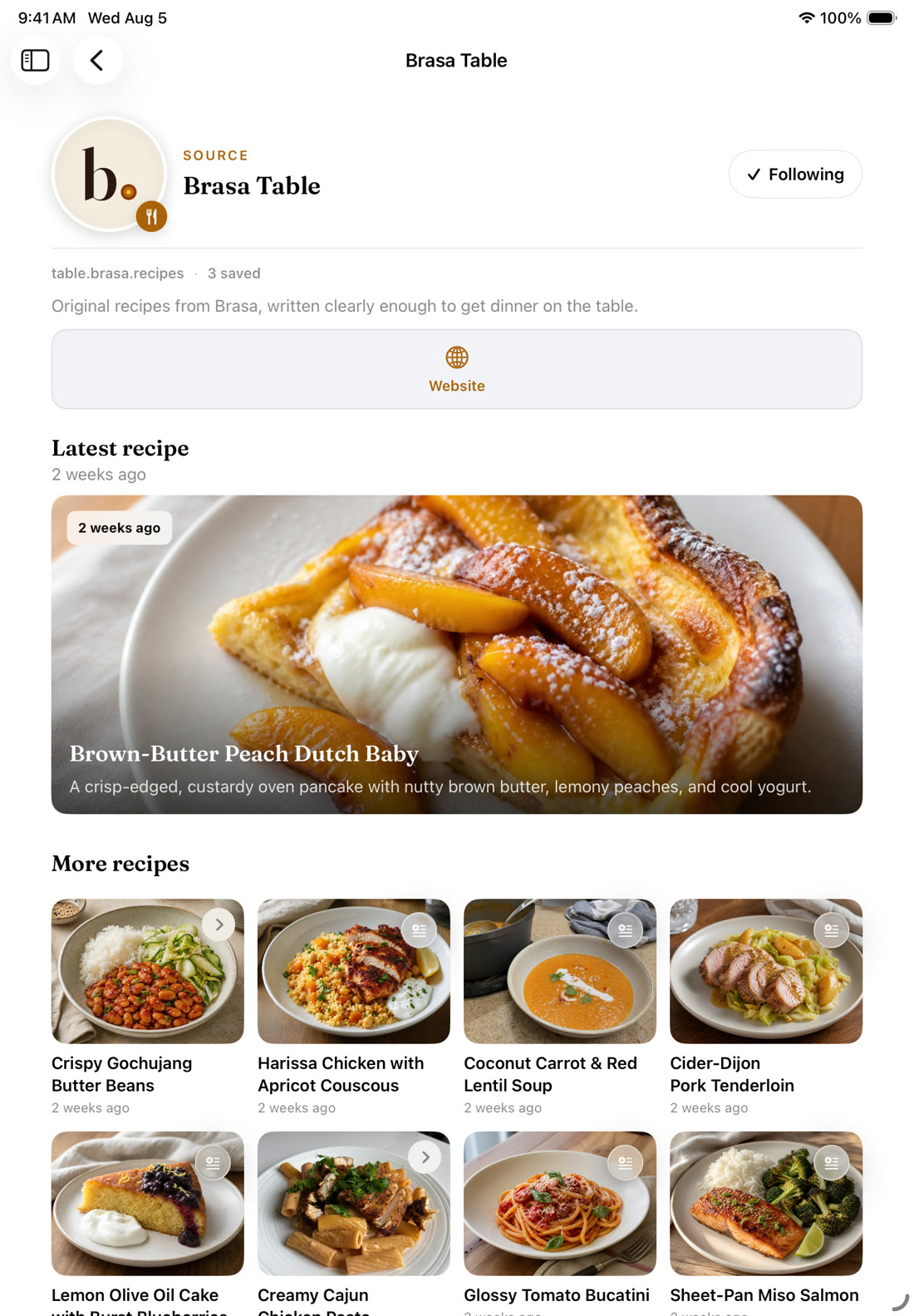
Follow the food blogs, YouTube cooks and creators you love, and their new recipes land in Brasa, linked back to the original video or post. When it’s time to cook, Brasa gives you a prep checklist, then walks you through each step with just the ingredients that step needs, reading it out loud so you never have to touch the screen with messy hands.
It saves recipes from TikTok, Instagram, screenshots and cookbook pages too. No account, no ads, and your library is end-to-end encrypted.
Follow a food blog, a YouTube channel or a Pinterest board. Found someone on TikTok or Instagram? Brasa finds their site or channel so you can follow that instead. Their new recipes show up in Your Sources, newest first, one tap from the original video or post.
You pick who’s in there. Brasa doesn’t recommend anything.
Every recipe credits the cook who made it and links back to them, so following someone in Brasa sends people their way.
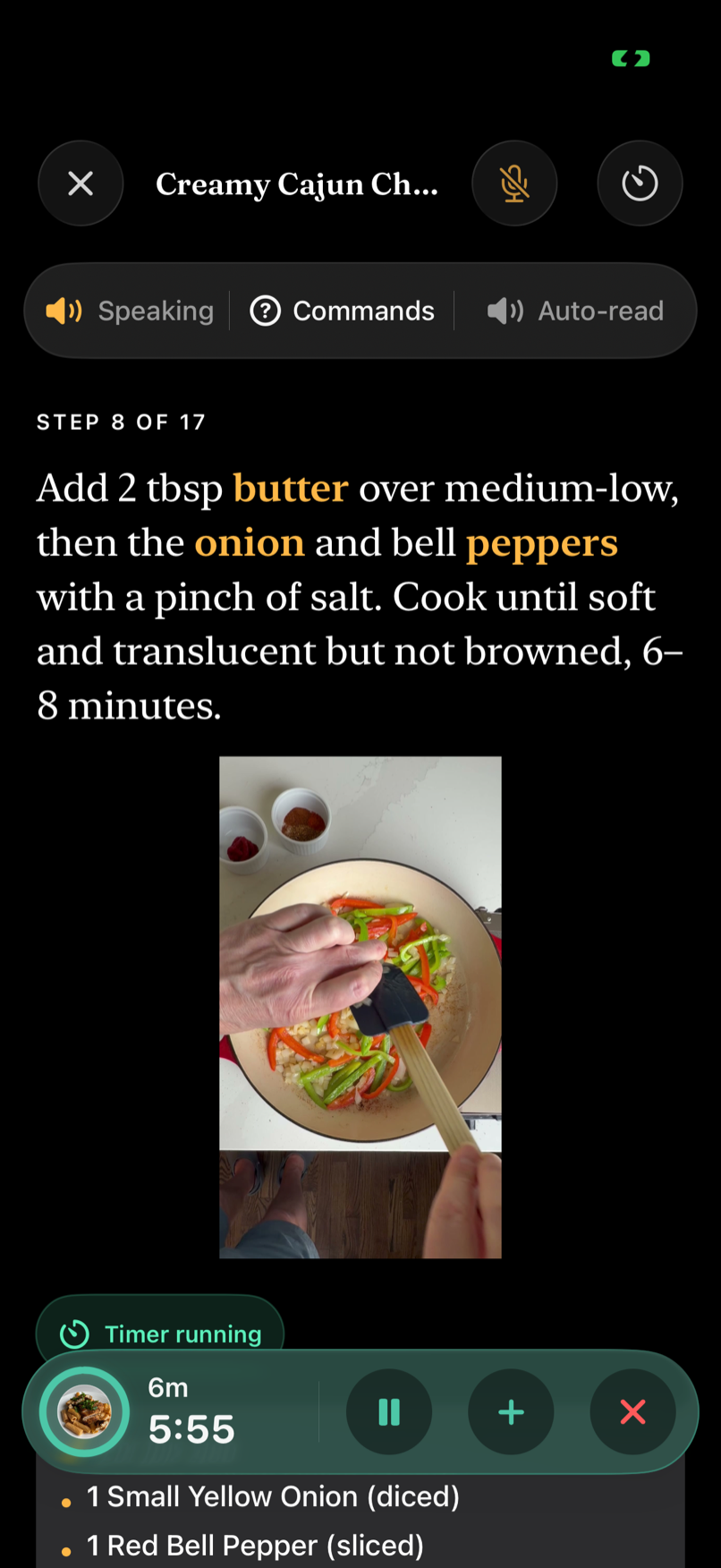
Before you turn on the stove, Brasa lays out your mise en place: a prep checklist to work through. Then it’s one step at a time, in type you can read from across the counter, with that step’s ingredients and amounts right under it. Brasa Voice reads each step out loud and answers when you talk to it, so you can cook with flour on your hands and your phone propped out of the way. Timers keep running on your Lock Screen and the screen stays on.
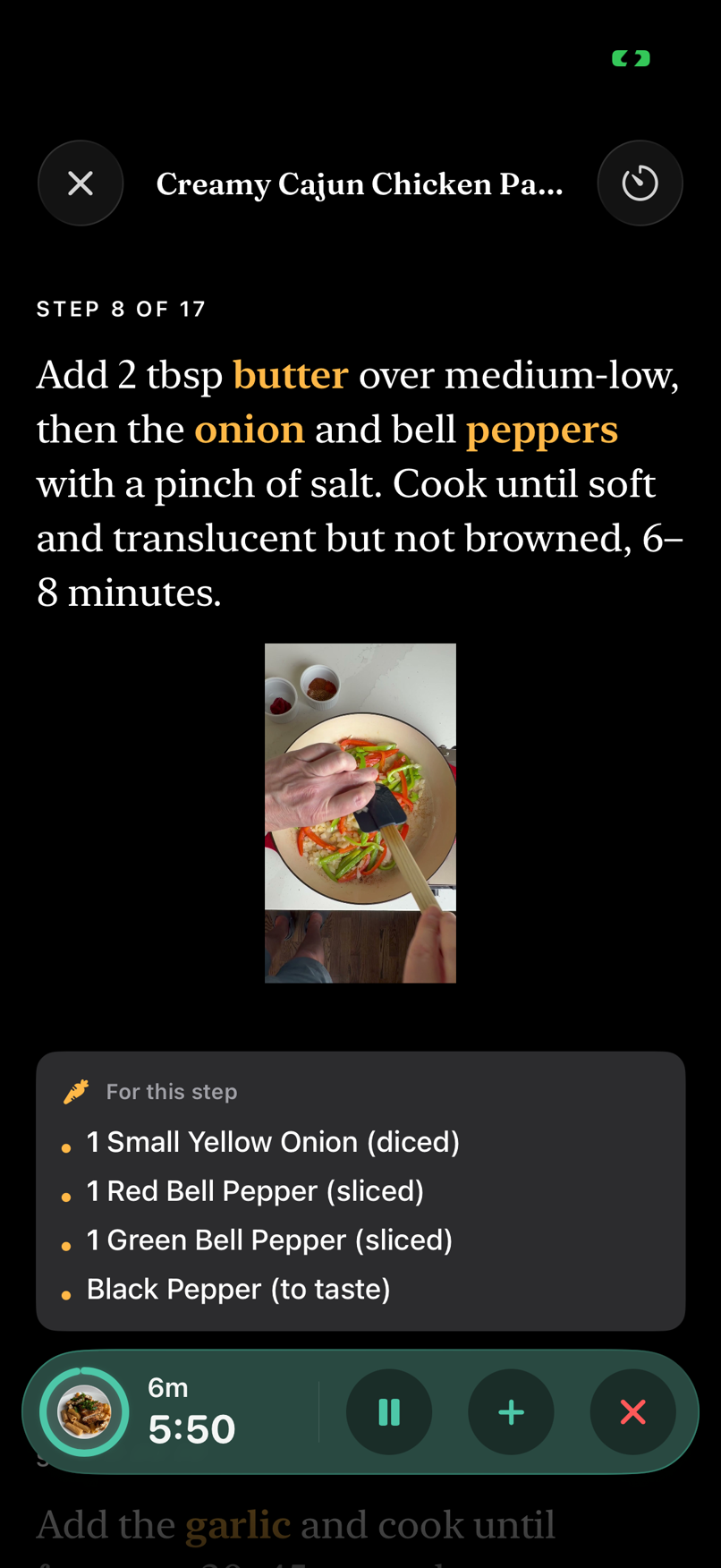
Step 8 needs onion, peppers and black pepper, so those are the ingredients you see.
05:50
The timer keeps running on your Lock Screen.
Brasa Voice
Hands covered in dough or raw chicken? Turn on Auto-read and Brasa reads each step aloud, so you can follow along from across the kitchen. Say “next”, “repeat”, “how much butter?” or “set a timer for ten minutes” and it answers. The voice runs on your iPhone or iPad, so nothing you say is sent anywhere.
Change the servings and every amount follows: in the ingredients, in the steps and on the shopping list. ½ cup becomes ¼ cup, never 0.25.
½ cup → ½ cup Parmesan
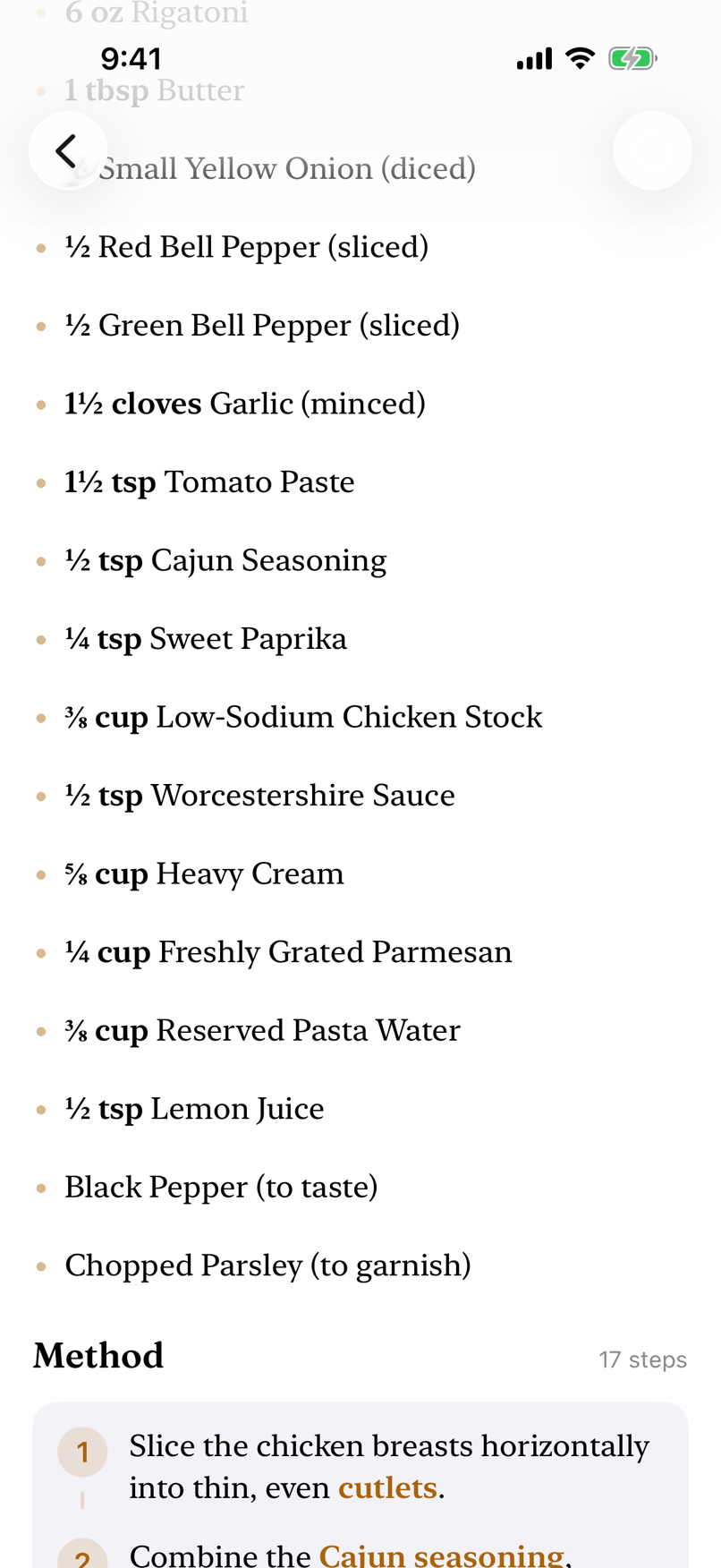
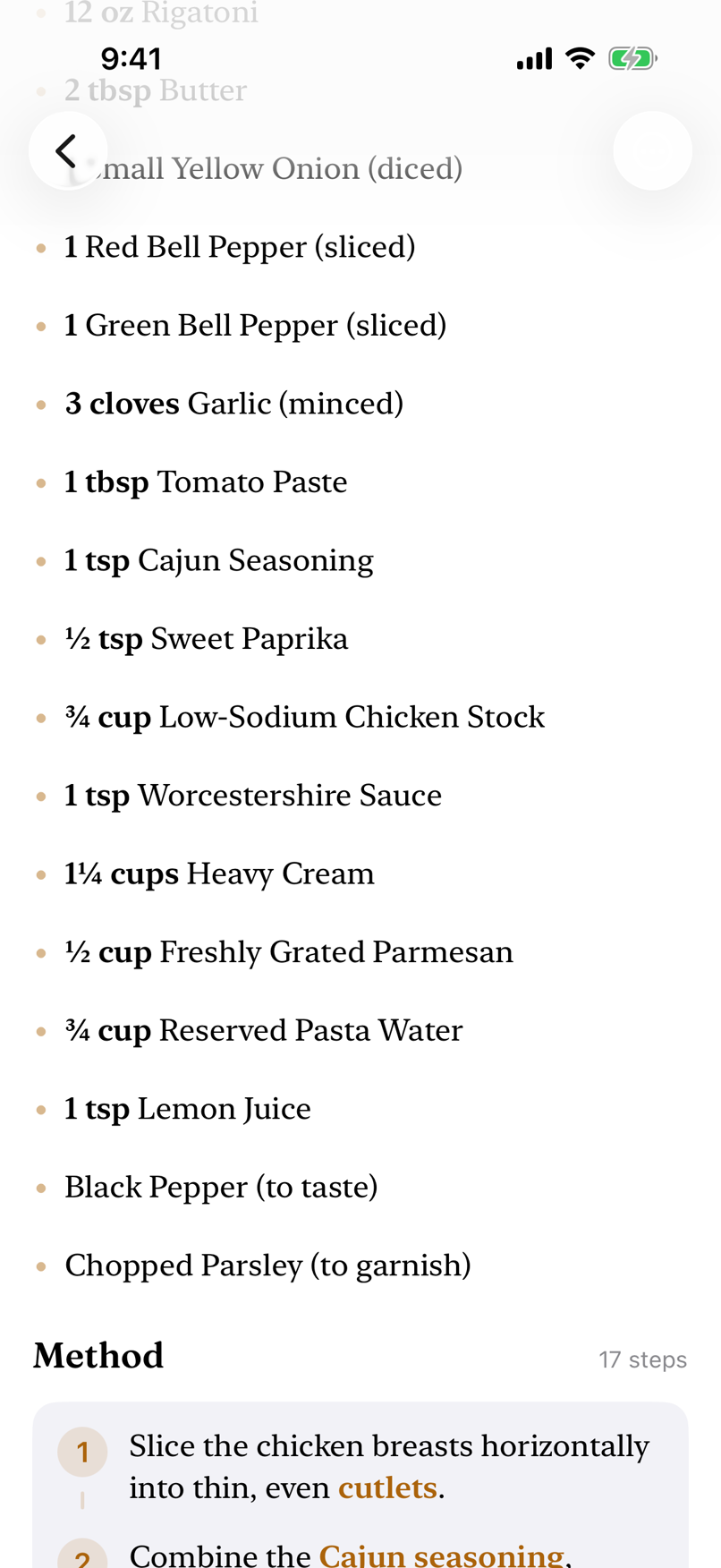
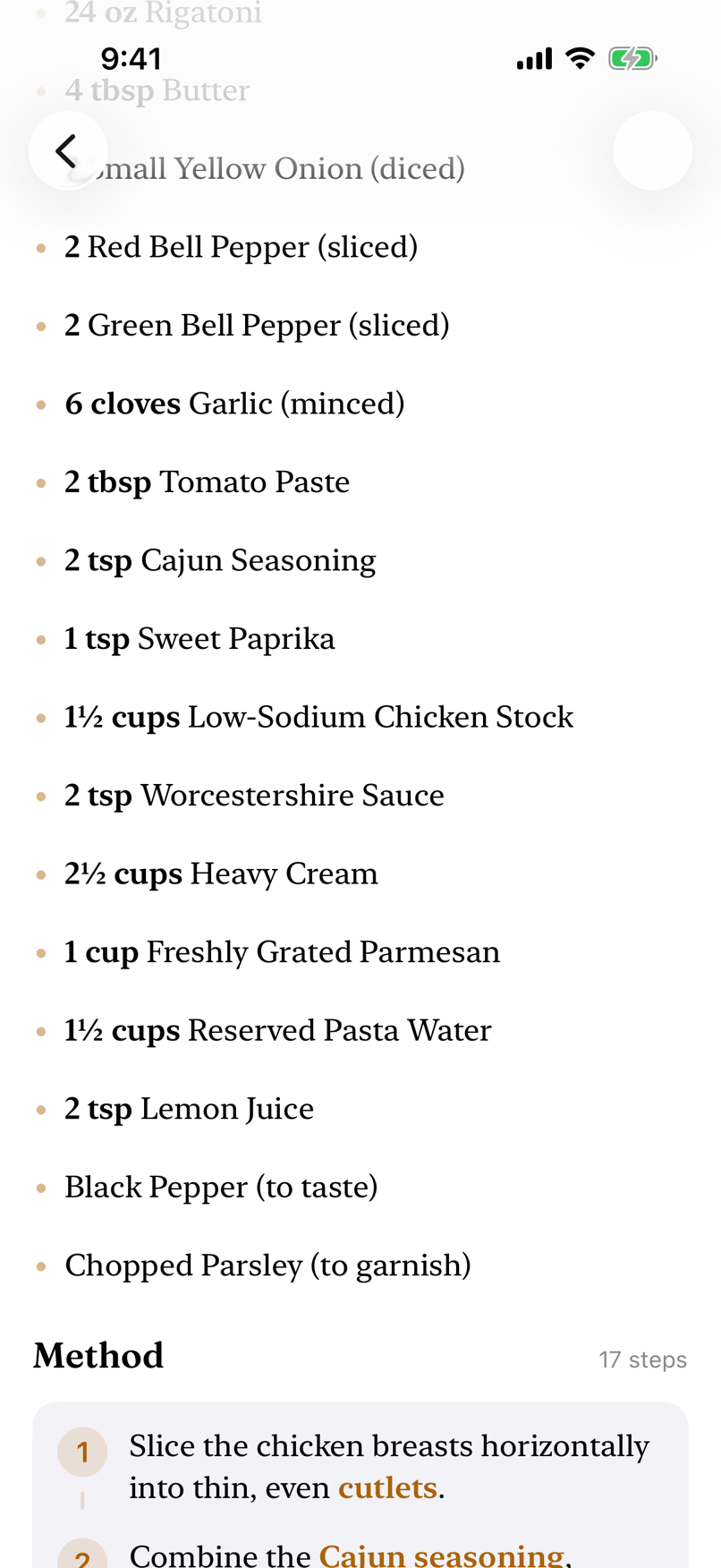
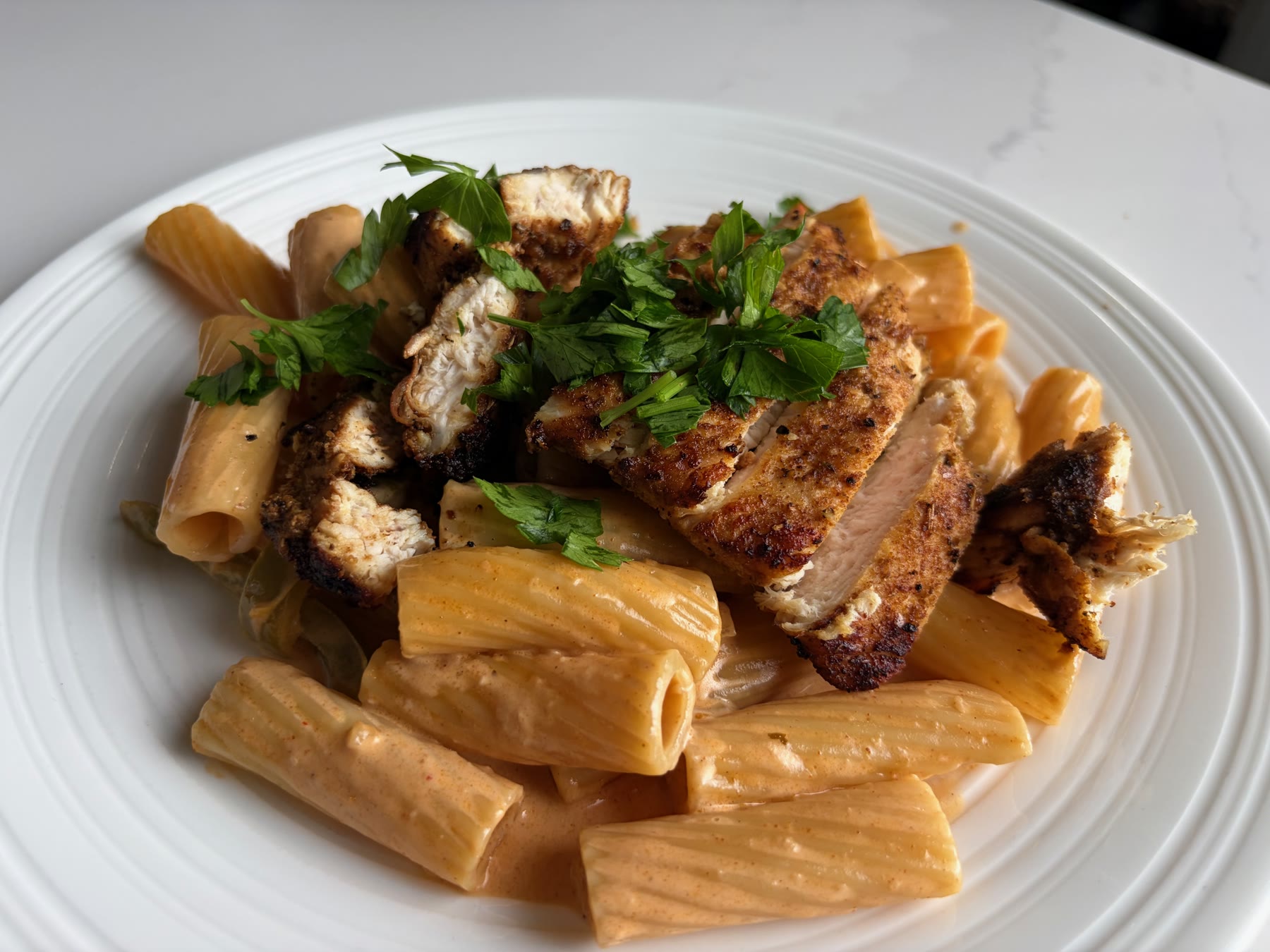
Creamy Cajun Chicken Pasta, made from the reel at the top of this page.
Brasa Voice works on iPhone and iPad; spoken replies use an on-device neural voice and need iPhone 12 or later, or iPad Air (4th gen), iPad mini (6th gen), iPad (10th gen), any M-series iPad Pro, or later. English at launch · one-time ~330 MB voice download.
Share a link, a Reel or a Pin to Brasa, or take a photo of a cookbook page or a handwritten card. You get the ingredients, amounts and steps back as a recipe you can edit.
From the share sheet in TikTok, Instagram, Pinterest, YouTube, Safari or Photos.
Ingredients with amounts, then the method, step by step.
Fix an amount, add a note, swap an ingredient. It’s your copy.
The link to the original video or page stays on the recipe, so you can always check what the creator actually did.
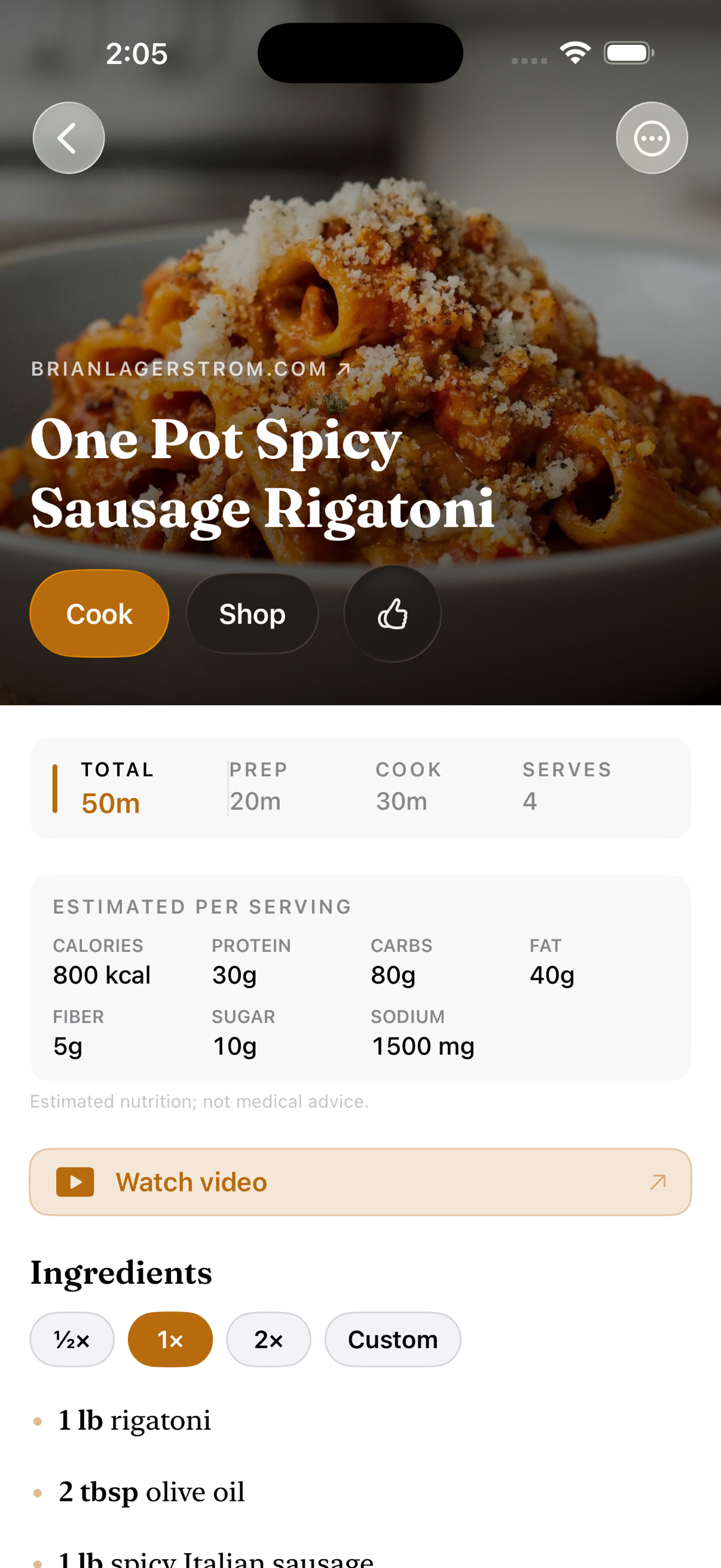
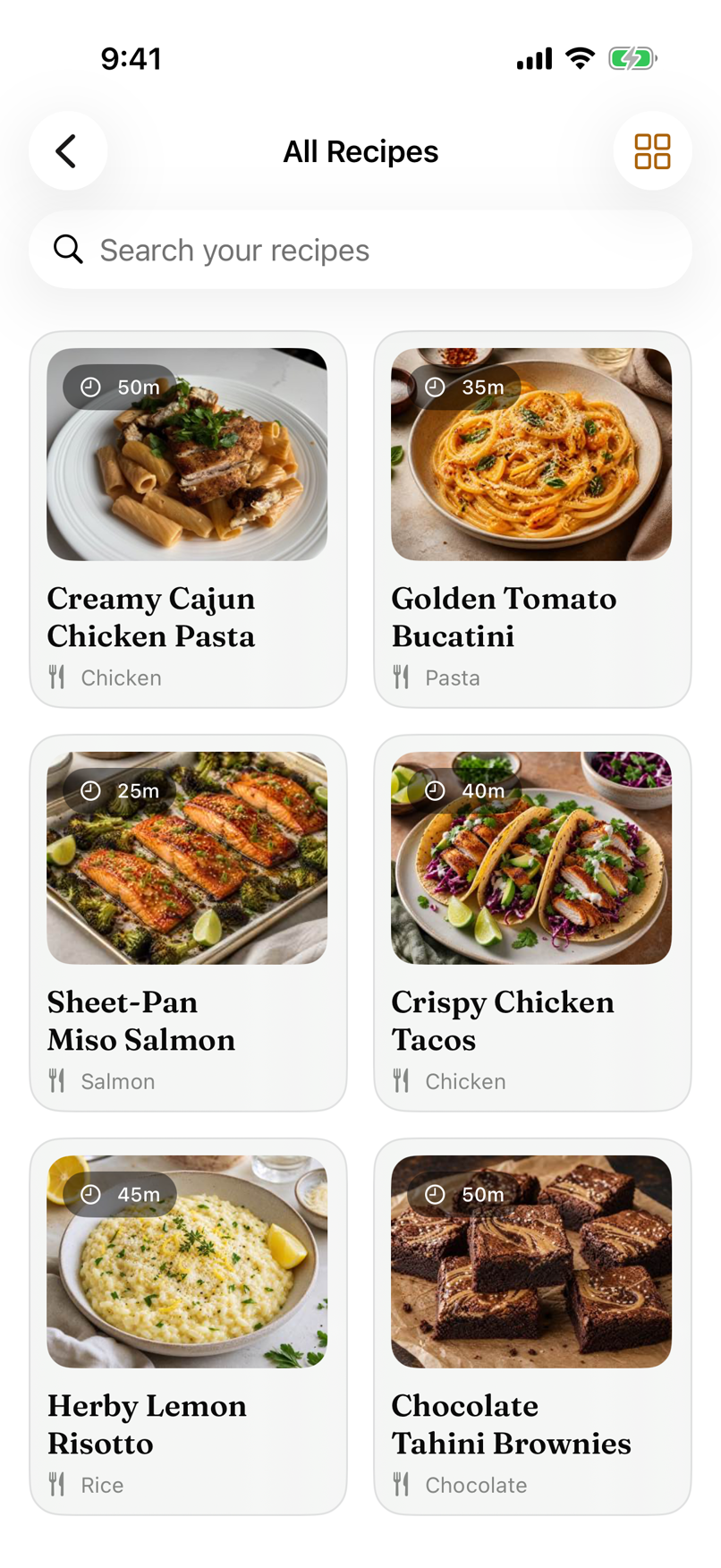
A TikTok and a food-blog recipe end up in the same format. Like the ones you’d make again and they get their own row on Home.
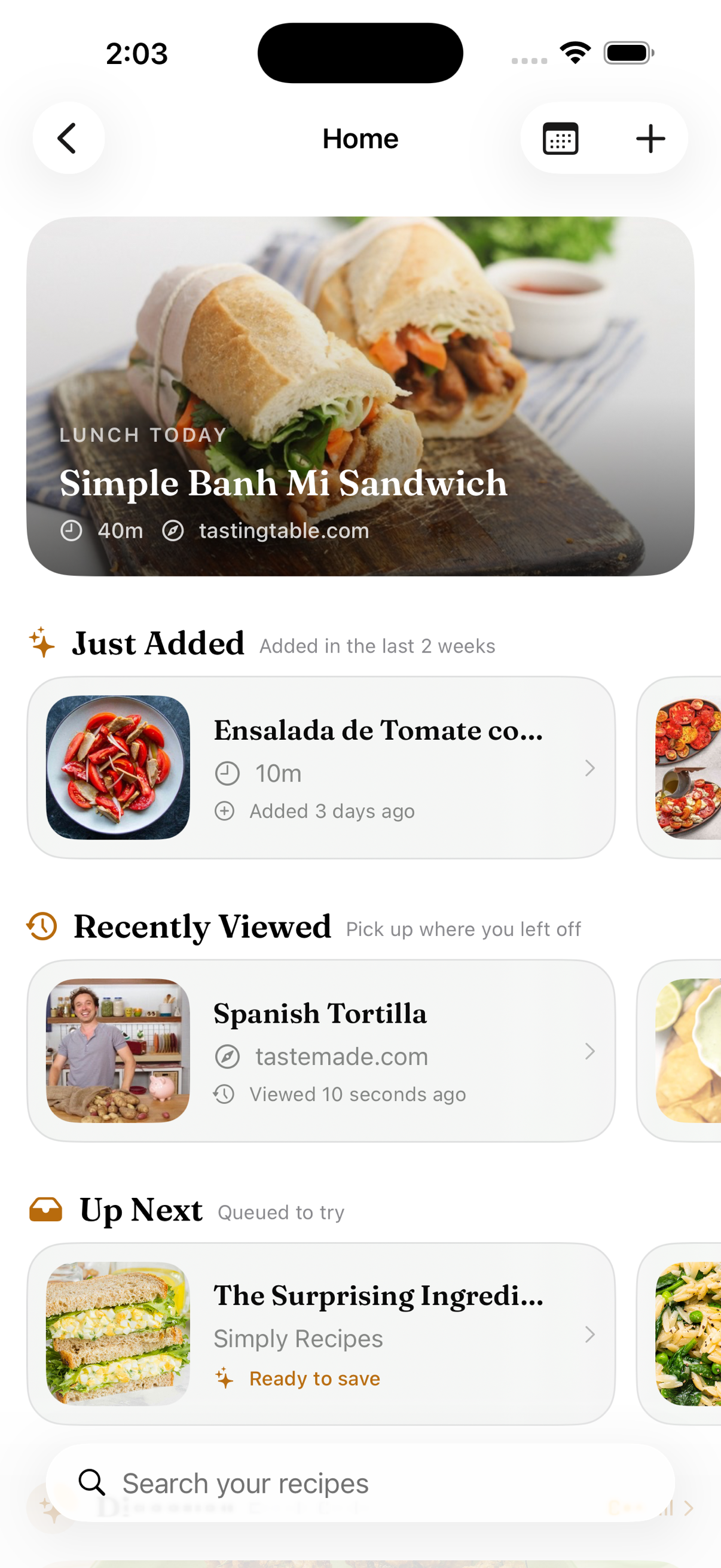
Tap through to the original video or page.
Find recipes by title, ingredient, cuisine, meal, difficulty or tag. If it’s not in your library, search the web from the same box and save what you find.
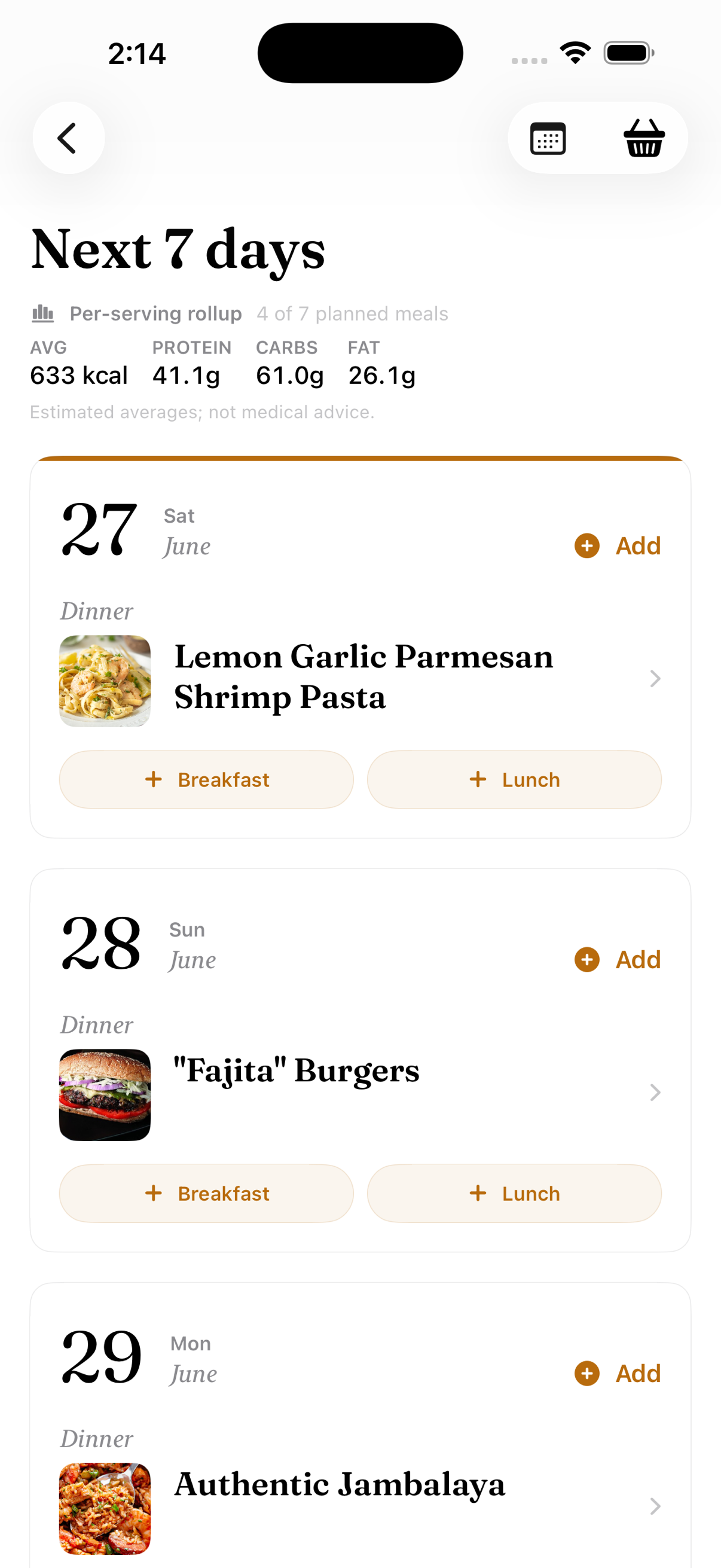
Put recipes on days of the week. Brasa adds up everything they need into one shopping list, sorted by aisle.
Each item on the list shows which recipes it’s for.
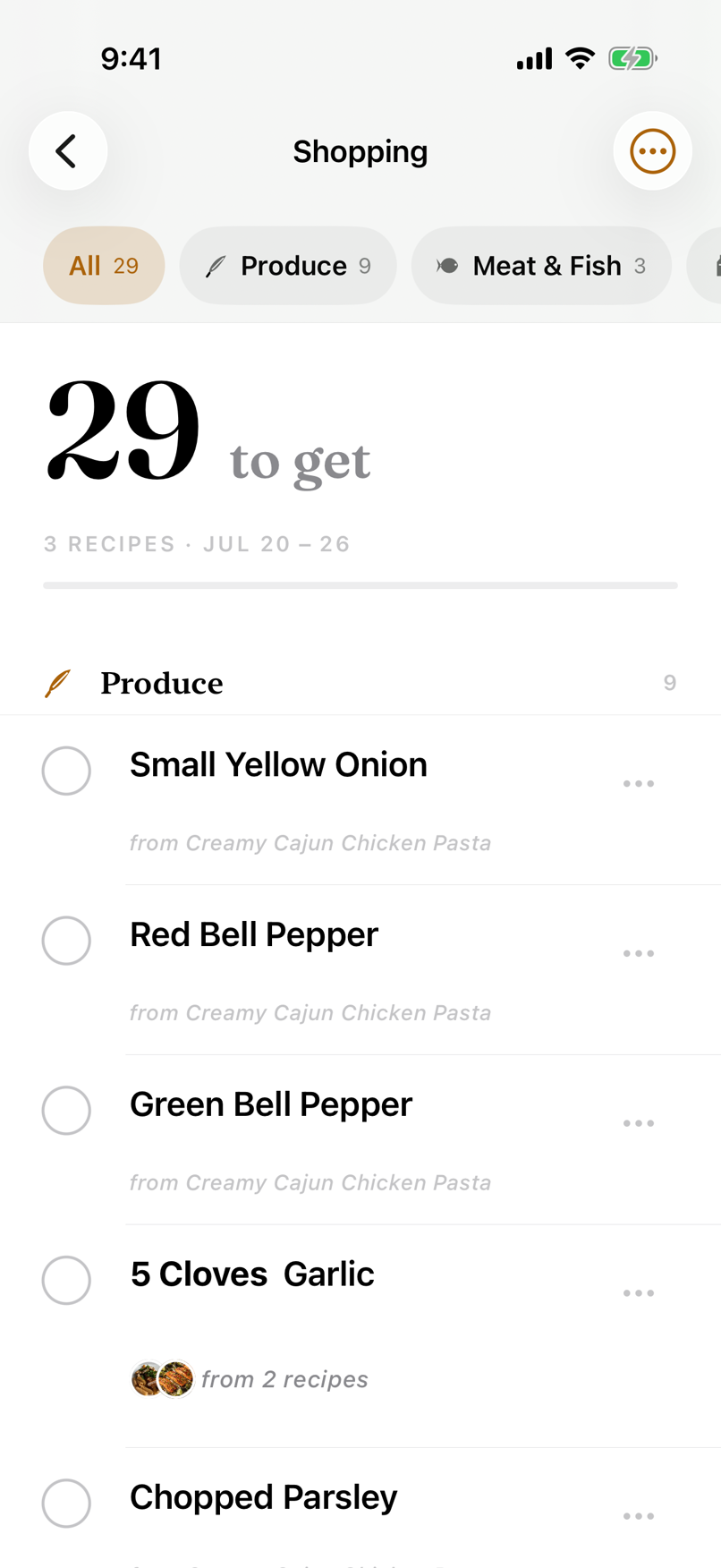
Save a recipe on your phone and it’s on the iPad in the kitchen and on your Mac when you plan the week.
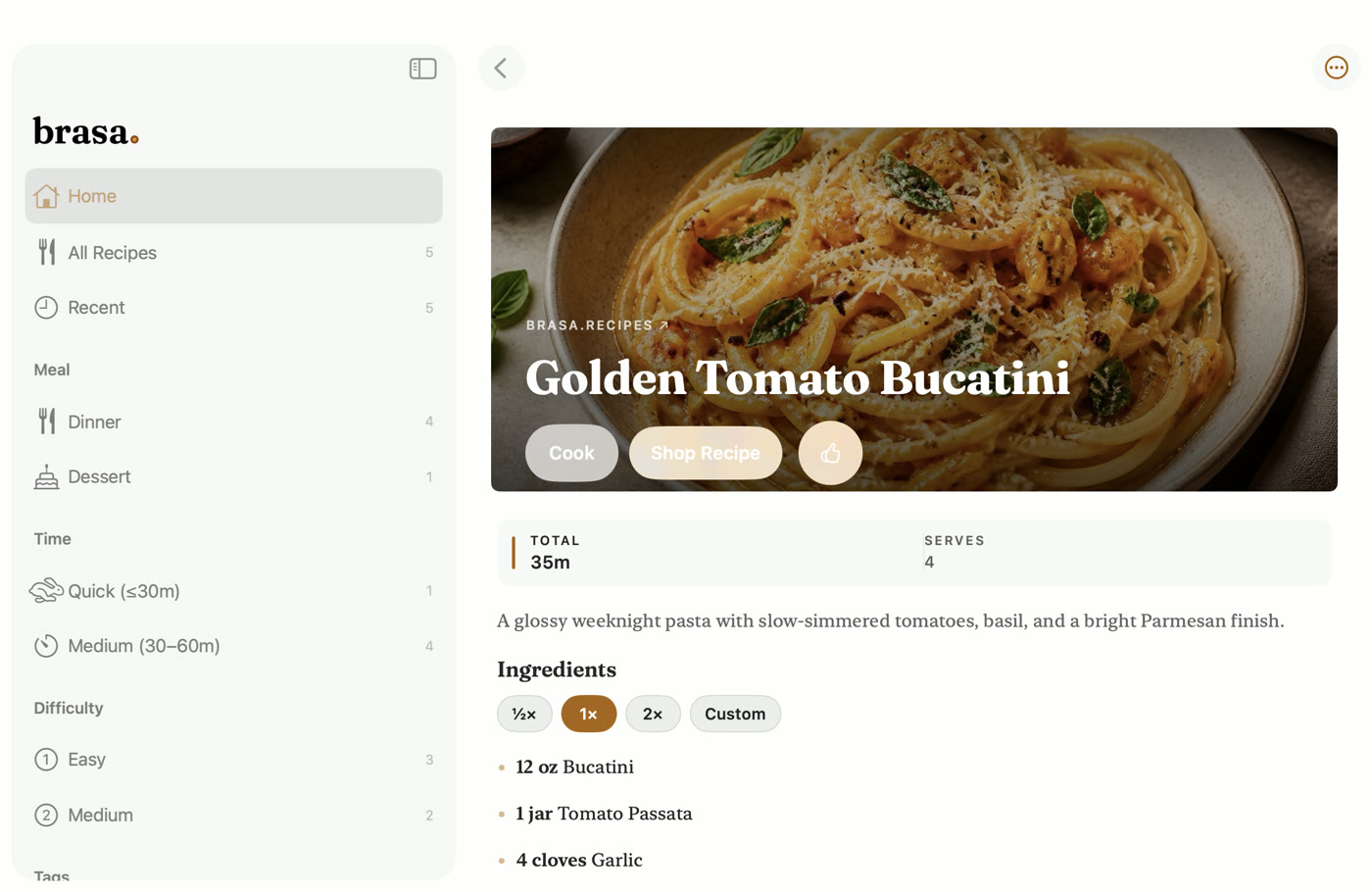
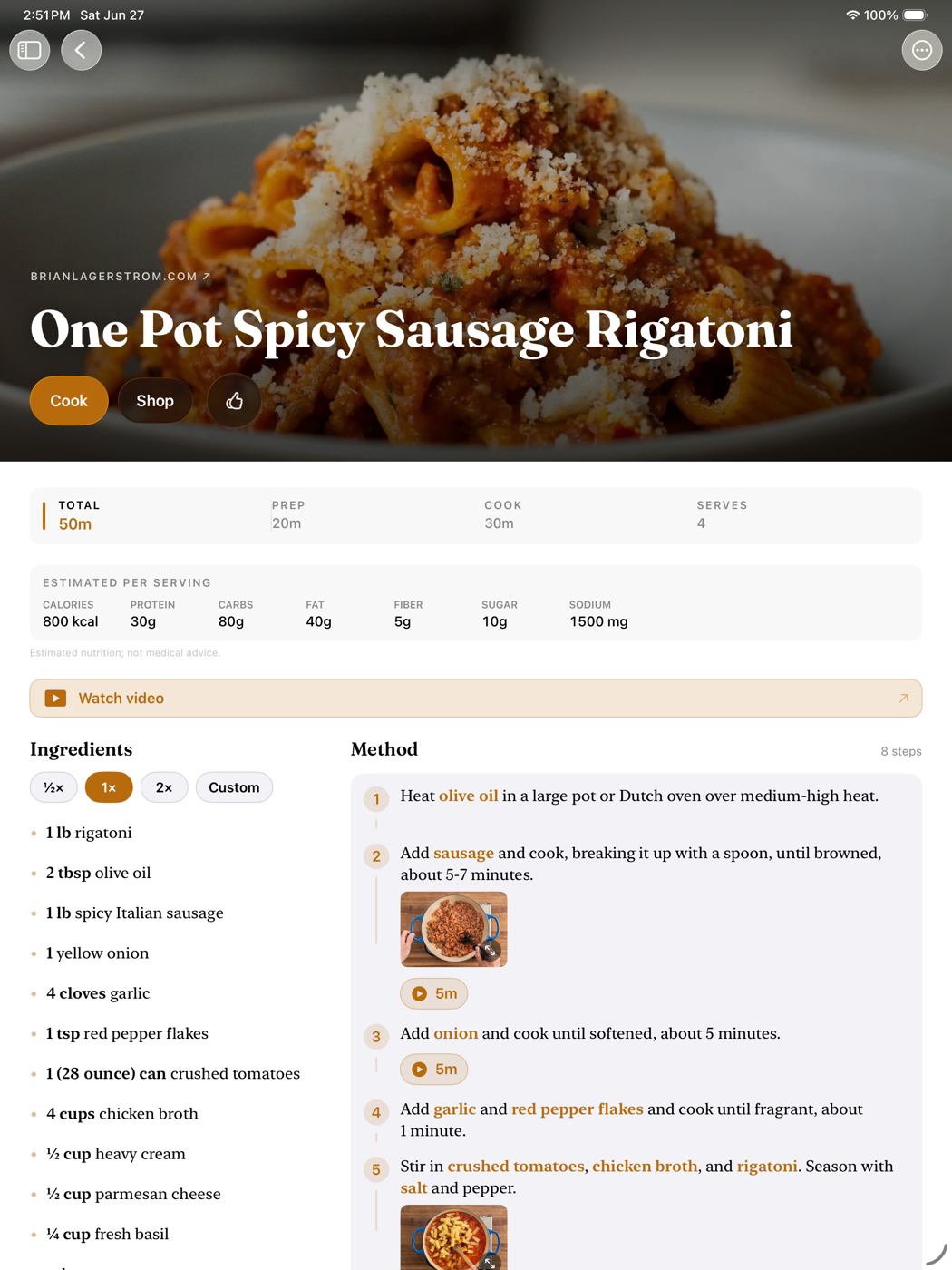
Recipes, likes, the meal plan and the shopping list.
Send a friend the recipe itself, or print it. The source goes with it.
Sync is end-to-end encrypted, and the key lives in your iCloud Keychain.
More than that, I wanted a recipe app that cooks with me: one that lays out the mise en place before I start, then walks me through each step with just the ingredients that step needs.
I hope you like Brasa. If something’s not right or there’s something you’d like it to do, email me at hello@brasa.recipes.
Imports from recipe websites are unlimited on every plan. Videos, photos, screenshots and trickier pages use smart captures, and that’s where the limits are.
Brasa
$0 forever
Everything you need to start cooking.
Brasa Plus
$24.99 / year · or $3.99/mo
Founder lifetime $59.99 — launch window only.
Already-saved recipes are never locked. Cancel anytime and your cookbook stays yours.
A cooking video, a photo of a cookbook page, a screenshot, or a web page that needs a little more work. Recipes from most major recipe sites import directly — those are unlimited on every plan and never touch your monthly allowance.
Most of Brasa works right on your device. When a capture needs cloud AI, Brasa sends only the content required for that one request — never your name, email, or the rest of your library — and it isn't stored or used to train AI models. Your cookbook syncs end-to-end encrypted, so we couldn't read it if we wanted to. The details live in our privacy policy.
Yes. On iPhones and iPads with Apple Intelligence (iOS 26 and later), Brasa uses Apple's on-device Foundation Models to map each cooking step to its ingredients — entirely on the device, with no server round-trip. On other devices the same work runs through Brasa's cloud AI, with the same privacy rules as capture.
Yes. In Cook Mode, say “next”, “repeat”, “how much butter”, or “set a timer for ten minutes” and Brasa responds out loud with Brasa Voice, a natural neural voice that runs entirely on your device — your audio never leaves it. Brasa Voice speaks English at launch and downloads its voice once (about 330 MB — Wi-Fi recommended) the first time you turn it on. Spoken replies need iPhone 12 or later, or an A14-or-newer iPad (iPad Air 4th gen, iPad mini 6th gen, iPad 10th gen, or any M-series iPad Pro); voice commands work on all supported iPhones and iPads.
Nothing is taken away. Every recipe you've saved stays fully cookable — timers, scaling, and sync keep working. You just can't save new ones until you clear a spot or upgrade to Brasa Plus.
Yes — export your library from Paprika, share the file into Brasa, and the whole cookbook imports in one tap, photos included. It's part of Brasa Plus, and there's a step-by-step guide.
No — Brasa is built Apple-native for iPhone, iPad, and Mac, with Lock Screen timers, widgets, and encrypted sync that depend on being deep in the platform.
For the launch window only, $59.99 once unlocks Brasa Plus forever — every Plus feature, on every device, no subscription. When the window closes it's gone; annual and monthly plans continue as normal.
Free to download · iPhone, iPad & Mac